









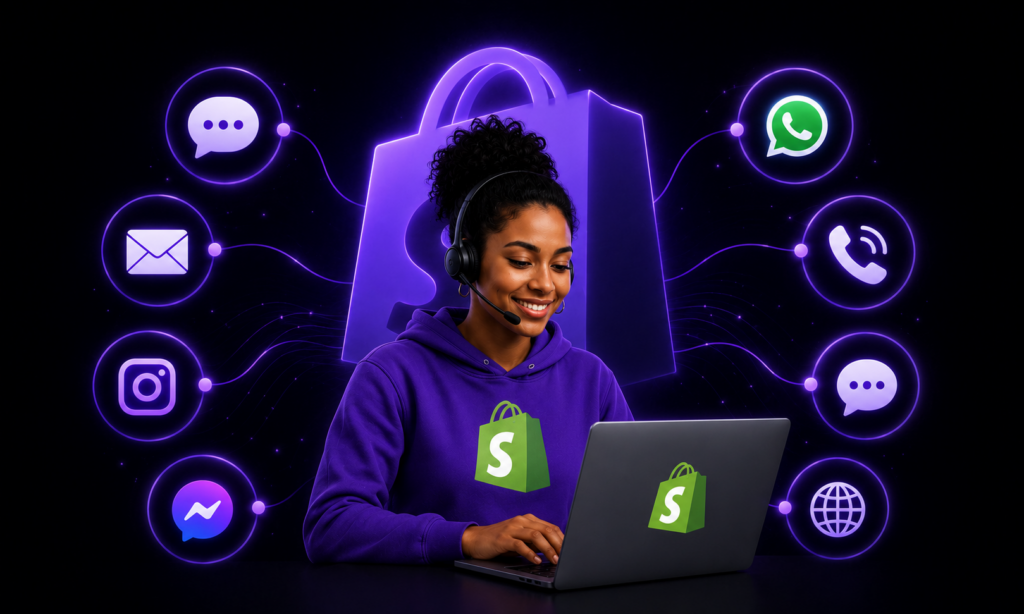
Customer support teams often need to handle recurring questions while also responding to requests that require real customer, order, product, billing, or delivery information. When those conversations happen across different channels, such as Telegram, WhatsApp, and Instagram, teams also need a reliable way to recognise customers and maintain context without asking them to verify their identity repeatedly.
This use case explores how a connected AI automation can authenticate customers, respond to frequently asked questions, retrieve Shopify information, escalate complex issues to a human team, and maintain a current knowledge base across multiple messaging channels.
The Problem
Support teams handle many of the same questions repeatedly, but customers may also need accurate order, product, billing, or refund information.
These conversations can happen across different messaging channels, and every request should only be escalated to a human when it genuinely requires intervention. Without a connected system, support teams may need to switch between messaging platforms, customer records, order systems, policy documents, and escalation tools while trying to maintain a consistent customer experience.
The Solution
The Multi-Platform AI Customer Service Agent is an omnichannel customer-support system for a Shopify store.
It authenticates a customer once through email and a one-time passcode, then maintains that identity across a multi-agent system. An Orchestrator Agent routes each conversation to an FAQ Agent, Shopify Agent, or Escalation Agent, supported by shared memory, a self-updating knowledge base, and background metrics and issue logging.
How the Agent Works
- Receive customer messages across multiple channels. The workflow can receive messages from channels such as Telegram and WhatsApp, with the structure available to extend to additional platforms.
- Authenticate and recognise customers. Customers verify their identity once through their email address and a one-time passcode, allowing the system to link the messaging account to their customer profile.
- Route each request to the right support function. The Orchestrator Agent identifies whether the customer needs a policy answer, an order or product lookup, or human support.
- Answer questions using approved information. The FAQ Agent retrieves relevant information from the knowledge base, while the Shopify Agent can retrieve customer, order, and product information.
- Escalate only when required. Complex issues can be escalated to a human team after the customer confirms they want support.
- Keep support information current and track performance. The workflow updates the knowledge base when source documents change and logs usage, authentication issues, support failures, and escalation patterns.
Technical Workflow
1. Multi-platform intake and normalization
A Telegram trigger and a WhatsApp webhook, with Instagram stubbed in for later, each feed into a small Set node that normalizes the incoming payload into a consistent shape: platform, platform_user_id, and user_message, so everything downstream is channel-agnostic.
A sticky note documents the exact pattern to replicate for adding a new platform.
2. Session and auth check
A single Postgres query, “Check Platform Auth,” runs on every inbound message. It ensures an auth_sessions row exists for that platform identity, looks up customer_platform_ids to see if this identity is already linked to a shopify_customer_id, and returns both is_linked and the current auth stage in one pass.
3. Authenticated branch vs. auth flow branch
An Authenticated? IF node splits the conversation. Already-linked users go straight to the Orchestrator Agent, while everyone else routes into a Check Interaction Stage switch that walks through an explicit state machine: start, awaiting_email, awaiting_otp, and verified.
4. Email verification
On a new session, the stage flips to awaiting_email and the user is asked, through the correct platform’s message node, for their email.
When they reply, an LLM chain, GPT-4.1-mini, extracts and validates an email address from free text and returns structured JSON. A valid address is then checked against the shopify_customers table.
5. OTP generation and delivery
If a match is found, a 6-digit OTP is generated with a 5-minute expiry, stored in otp_verifications, emailed via Gmail, and the user is told to reply with the code.
If no match is found, the user is asked to retry and the failure is explicitly logged as an issue.
6. OTP verification and account linking
When the user replies with a code, a Postgres query checks it against the stored table, confirming the right platform, right ID, unused status, and expiry.
On success, the workflow writes the platform-to-customer link into customer_platform_ids, marks the OTP used, flips the session to verified, and confirms to the user. On failure, the session resets to awaiting_email, the user is asked to retry, and the failure is logged.
7. Orchestrator Agent
A Google Gemini agent runs a customer-service-representative persona for the Shopify store, backed by Redis chat memory shared across the whole agent team.
It handles greetings conversationally. For everything else, it classifies the message into topic, urgency, sla_tier, customer_type, and tags, then builds exactly one structured JSON payload and routes it to a single sub-agent.
It interprets sub-agent responses, including authentication issues, missing information, network errors, no FAQ found, and unrecoverable errors, into natural, varied phrasing. It also runs an explicit confirm, edit, or cancel dialogue before triggering an escalation.
8. FAQ Agent (RAG)
A dedicated agent tool is backed by a Supabase hybrid-search vector store.
It answers strictly from retrieved knowledge-base entries, never invents policy, returns a structured resolved, confidence, and matched_faq response, and signals escalation when nothing relevant is retrieved with high confidence.
9. Shopify Agent
A dedicated agent tool is wired to Shopify’s Admin GraphQL API. It resolves the customer’s Shopify ID through Postgres first, then can list or fetch orders, retrieve order details, look up products, and use a raw HTTP tool for suggested-refund duty calculations.
Every API or error response is translated into natural customer-facing language rather than exposed as raw system output.
10. Escalation Agent
The Escalation Agent proceeds only once the Orchestrator has the user’s explicit confirmation to escalate.
It pulls the customer’s identity through the same Shopify-ID lookup tool, formats a structured Slack message with name, email, Shopify ID, issue summary, urgency, SLA tier, and tags, then posts it through a “Log Complaint” Slack tool.
Zendesk ticket-creation and status-check tools exist in the workflow but are currently parked in favour of Slack-only handoff while Zendesk is not yet live.
11. Self-updating knowledge base
A fully independent branch uses a webhook, fired by a Google Apps Script watching a Drive folder, whenever a knowledge-base file changes.
It deletes previously embedded chunks tied to that file ID from Supabase, downloads the file, automatically converting Docs, Sheets, or Slides to PDF, splits it into 200-token chunks with 30-token overlap, embeds it through OpenAI, and re-inserts it into the same vector store the FAQ Agent searches.
This means that editing a policy document automatically keeps the support agent’s answers current.
12. Metrics logging
A parallel branch runs on every inbound message. It checks whether a per-user, per-day row already exists in a “Metrics” Google Sheet, creates one if not, and increments a message count after each reply is sent.
This builds a running per-platform, per-user usage log without a separate reporting workflow.
13. Automatic issue detection
After the Orchestrator replies, a code node scans the response text for keyword patterns indicating an FAQ miss, a Shopify error, an authentication problem, or an escalation.
Combined with the authentication-failure logging built into the OTP flow, any detected issue is appended to an “Issues” sheet with the platform, user, and exact message shown to the customer. This turns customer conversations into a lightweight support-quality dashboard.
Technology and Integrations
Built with: n8n, Google Gemini, OpenAI GPT-4.1-mini, Redis, Postgres, Supabase, Shopify Admin GraphQL API, Slack, Gmail, Telegram, WhatsApp, Google Sheets, and connected support workflows.
Outcome
The Multi-Platform AI Customer Service Agent creates a connected support process across messaging channels.
Instead of asking customers to repeatedly identify themselves or routing every request to a human, the workflow can authenticate customers once, maintain conversation context, retrieve policy or Shopify information, and escalate only when a human response is required.
A separate knowledge-base process keeps support information current automatically, while background logging tracks usage, recurring issues, and support failure patterns without requiring a manually built dashboard.
Explore Custom AI Automation for Your Business
The Multi-Platform AI Customer Service Agent is one example of how AI automation can support customer service, order management, knowledge retrieval, and operational workflows.
Divverse Labs designs and builds custom AI agents, automation workflows, internal tools, and connected systems for a wide range of business processes.
From sales, marketing, recruitment, customer support, and reporting to finance, operations, and internal team workflows, each solution is designed around the way your business works.
Request a Quote for a Custom AI Automation Solution to get started.